Set environment variables in local development with Docker
You can add environment variables in local development with DOcker using .env file.
How to set environment variables and configure .env file locally with Docker
Step 1
Create the .env file in the folder where the docker-compose.yaml file is located.

Step 2
Inside the .env file add the value to the variable that you want to use, for example:

Step 3
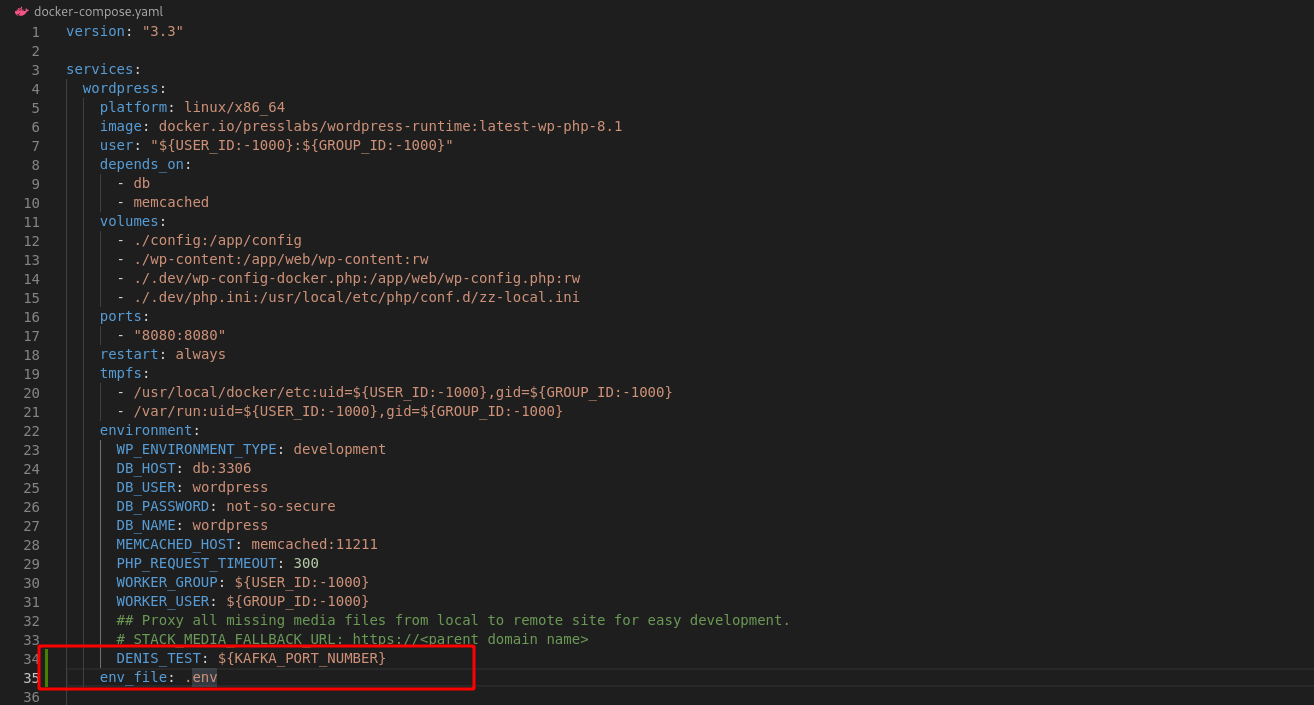
Define in the docker-compose.yaml at the environment section one variable through which to reference the variable set in .env, for example DENIS_TEST: ${KAFKA_PORT_NUMBER} in my case. Also, you must to add the .env file name at env_file like this env_file: .env. Please take into account the indentation at env_file: .env, as in the image below:
Step 4
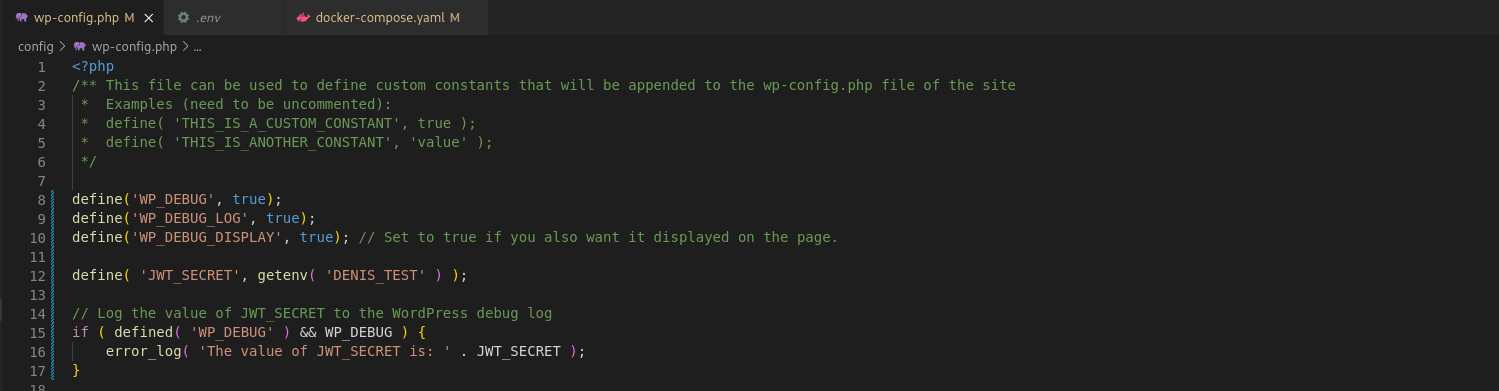
Add in the wp-config.php file the define line with the environment variable that you want to use and after that, you write an error_log line for log the value of the variable. See below the content of the wp-config.php file:
Step 5
Go inside of your website repository and run docker compose up command.
Visit the http://localhost:8080/wp-login.php for login into the local website.
After that, check the logs for the value of the setted variable.

DONE!